How QuillBot Humanizer Can Transform Your AI-Written Text
Published: 27 Jan 2026
QuillBot Humanizer is a tool that helps make AI-generated text sound more natural. It smooths out sentence flow, adjusts the tone, and improves the phrasing so the content feels like it was written by a real person.
QuillBot, the writing assistant, offers features like paraphrasing, grammar checking, and summarizing. With the Humanizer tool, users can refine their drafts, making them perfect for blogs, emails, essays, or any content that needs to feel authentic and engaging.If you’re interested in exploring more similar tools, make sure to check out my comprehensive guide on how AI Humanizers work.
What Is QuillBot?
QuillBot is a writing tool that helps users improve and rewrite their content. It uses AI to rephrase text, fix mistakes, and make writing clearer. The tool includes features like a paraphraser, grammar checker, summarizer, citation generator, translation, and AI Humanizer. These tools work together to help you write more clearly and effectively.

What Is QuillBot Humanizer?
QuillBot Humanizer is a tool in the QuillBot AI suite that helps make text from AI tools like ChatGPT and Claude sound more natural and human-like. It adjusts the tone, changes awkward phrasing, and improves readability while keeping the original meaning. This makes the text flow better, sound smoother, and less robotic.
It’s especially useful for students, bloggers, and content creators who want their writing to feel more authentic and polished. The tool works by refining pasted text, making it clearer and more engaging with simple, everyday language.
How QuillBot Humanizer Works
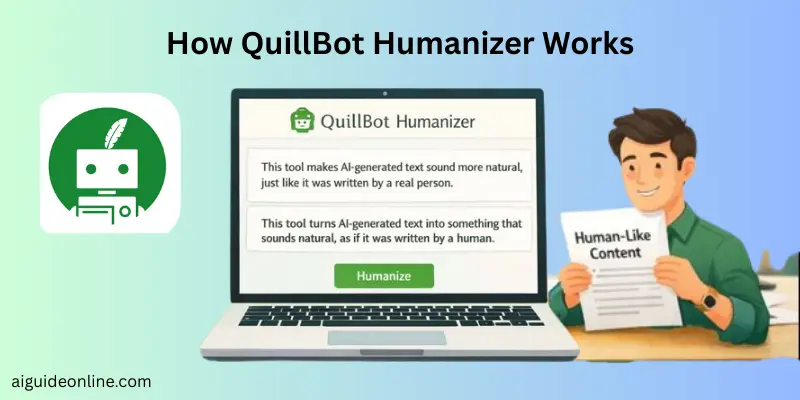
QuillBot Humanizer helps make your writing sound more natural and engaging. It takes text that feels stiff or robotic and rewrites it to sound more like a real person wrote it. Here’s how it works:
- Paste Your Text: First, you paste the text you want to improve into QuillBot.
- Analyze the Writing: The tool looks for awkward phrasing or overly formal patterns in your writing.
- Rewrite for a Natural Tone: QuillBot then changes the sentences to make them flow more smoothly and sound more conversational.
- Choose Different Words: You can select alternative words or phrases if you’d like to tweak the tone even more.
- Review and Edit: Finally, you review the rewritten text, making any final adjustments so it sounds just right for you.
Key Features of QuillBot Humanizer
QuillBot Humanizer is a feature in QuillBot’s writing suite that makes AI-generated text sound more natural. It smooths out awkward phrases and adjusts the sentence structure to make content feel more like it was written by a person.
- Makes Text Sound Natural: It turns robotic language into smooth, natural prose, improving sentence flow and readability.
- Improves Tone and Readability: The tool refines vocabulary and phrasing to make the text more engaging, while keeping the original meaning intact.
- Easy to Use: Just paste AI-generated text, and the Humanizer quickly turns it into more natural writing.
- Free and Premium Options: The free version lets you humanize smaller chunks of text (around 125 words), while Premium offers more features and higher word limits.
- Customizable Output: You can choose different synonyms or phrasing options to match your preferred tone and style.
- Works with Other QuillBot Tools: The Humanizer works alongside other tools like the paraphraser, grammar checker, and tone adjuster to polish your writing further.
Common Uses of QuillBot Humanizer
QuillBot Humanizer is a tool that helps turn AI-generated text into something that sounds more natural and human. It’s perfect for making your writing flow better, so it doesn’t sound stiff or robotic.
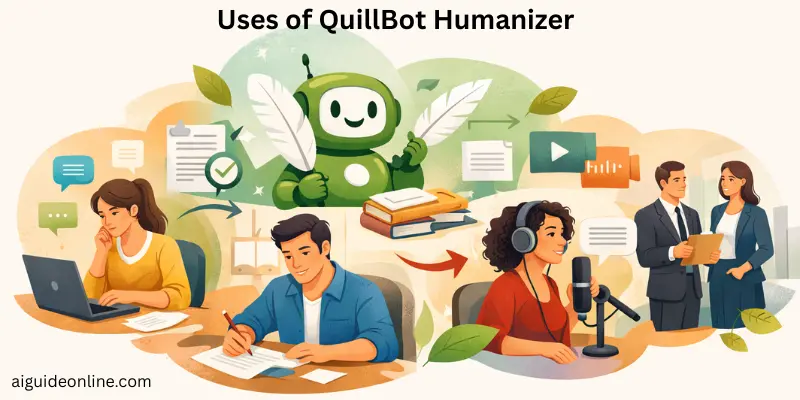
Here are some practical ways people use QuillBot Humanizer:
- Making AI Text Sound More Natural: It takes content that feels mechanical and makes it sound like it was written by a person. This improves how the text reads and makes it more engaging.
- Polishing Drafts Before Publishing: Writers can use it to clean up their drafts and make them feel more conversational. This is helpful before posting blogs, articles, or other content online.
- Improving Blog Posts and Social Media Content: It helps content creators make their blog posts, social media captions, and longer pieces more readable and natural, so they connect better with their audience.
- Refining Academic or Professional Writing: Students and professionals can use the tool to improve the tone and flow of essays, reports, and summaries that started as AI text.
- Helping Non-Native English Writers: If English isn’t your first language, the Humanizer can make your AI-generated text sound more fluent and authentic.
- Supporting Different Types of Writing: Whether it’s business proposals, email responses, or personal stories, QuillBot Humanizer helps improve clarity and make the content more engaging for all kinds of writing needs.
Academic Content Rewriting & Plagiarism Safety
Rewriting academic content means taking ideas from sources and putting them into your own words. When you do this right, it shows that you understand the material and helps you avoid copying someone else’s exact wording. True paraphrasing involves changing both the wording and sentence structure, while keeping the original meaning.
To avoid plagiarism, you must always cite your sources when you use or rephrase someone else’s ideas. Even if you rewrite something in your own words, not citing the original source is still considered plagiarism in academic settings.
Effective rewriting starts with fully understanding the source. Read the original text until you can explain it in your own words without looking. Then, use your explanation to create a new version in your own voice.
Simply swapping out a few words for synonyms isn’t enough to make content original. If you don’t change the structure and phrasing enough, it can still be flagged as plagiarism.
Using a plagiarism checker before submitting your work can help catch any accidental similarities. These tools scan your writing against large databases and point out areas that might need better paraphrasing or clearer citations.
Good academic practice means rewriting ideas to match your voice while giving proper credit. This not only helps you avoid plagiarism but also improves your credibility and clarity in academic writing.
Can QuillBot Humanizer Bypass AI Detection Tools?
QuillBot Humanizer can make AI-generated text sound more natural, but it doesn’t guarantee that AI detection tools won’t catch it. These tools, like GPTZero, Turnitin, and Originality.ai, are designed to spot patterns typical of machine-generated content. Even though QuillBot tries to adjust wording and tone, it often doesn’t fully mask the underlying AI characteristics.
GPTZero: GPTZero looks for patterns in the text that suggest it came from an AI. Even after using QuillBot’s Humanizer, the text might still get flagged because the statistical and linguistic patterns that reveal it was AI-generated may remain.
Turnitin: Turnitin checks for both plagiarism and AI-generated content. It uses advanced analysis to assign a score based on how likely the text was produced by AI. While QuillBot might help change phrasing, Turnitin can still identify AI-assisted content, even if it’s not a direct match.
Originality AI: Originality AI checks both for plagiarism and signs of AI writing. It uses deep analysis to detect AI-generated text, and QuillBot’s adjustments often don’t fully hide the fact that the content was machine-generated.
What to Expect: No tool, including QuillBot, can completely guarantee that a text will be undetectable by AI detectors. These detection systems look beyond simple changes in wording. They analyze the structure and patterns of the text, which is hard to hide even after humanizing it. So while QuillBot may reduce the likelihood of detection, it’s still possible for advanced detectors to identify AI-generated content.
SEO Writing & Content Quality
SEO writing is all about creating content that is both valuable and easy to find through search engines. The goal is to make sure the content serves the needs of readers while also ranking well on platforms like Google. Tools like QuillBot Humanizer can help improve AI-generated drafts, making them sound more natural and engaging. This is key for SEO, as search engines favor content that is useful and keeps users engaged.
To improve your content for better SEO performance, QuillBot can help make your writing more readable and appealing. It does this by enhancing the flow of the text and making it more enjoyable for readers. While it doesn’t focus on optimizing for specific keywords or search intent, it helps create content that is easier to understand and more user-friendly, indirectly boosting SEO.
When using QuillBot for SEO writing, it’s important to keep your target keywords intact. Sometimes, the tool might replace key terms with synonyms, so be careful to ensure your main keywords remain in the content. The Synonym Slider feature and the option to “freeze” words can help you keep essential terms while still making the text more readable. This ensures your content is both SEO-friendly and sounds natural.
Pros and Cons of Using QuillBot Humanizer
In this section, we will look at the pros and cons of using QuillBot Humanizer. These points reflect what the tool actually does well and where it falls short based on available sources.
| Advantages of QuillBot Humanizer |
|---|
|
| Disadvantages of QuillBot Humanizer |
|---|
|
Ease of Use, Pricing, and Reliability
Ease of use, pricing, and reliability are key factors when choosing a tool. Understanding how a product performs in these areas can help you make an informed decision about its value and effectiveness.
Ease of Use: QuillBot has a simple and user-friendly interface, making it easy for beginners to use. You can easily paste your text into the editor and apply tools like Humanizer or Paraphraser with just a few clicks. Most users appreciate that there’s no complicated setup, allowing them to start improving their writing right away.
Subscription Plans and Pricing Options: QuillBot offers both a free plan and a Premium subscription. The free version includes several useful features, including Humanizer, but with some restrictions, like shorter text inputs. The Premium plan unlocks all features and tools for $8.33 per month if billed annually, offering great value for the price.
Value for Money and Customer Support: QuillBot’s pricing is seen as affordable, especially considering the range of tools available in one platform. With features like paraphrasing, grammar checking, and summarizing, it provides excellent value for writers, students, and professionals. Customers also find the support to be helpful and responsive when needed.
Reliability and Performance for Regular Use: QuillBot is known for its reliable performance, providing fast results for tasks like paraphrasing and grammar checking. While it works well for improving text, it may not always bypass advanced AI detection, as even humanized text can still be identified as AI-generated.
QuillBot vs Other Humanizer Tools
In this section, we will compare QuillBot Humanizer to other popular AI humanizer tools to highlight their strengths, weaknesses, and unique features. This comparison will help you decide which tool best suits your needs.
| Feature | QuillBot Humanizer | Humaniser | GPTHuman.ai | Undetectable AI |
| Primary Focus | General content improvement, readability, tone | AI text humanization, privacy focus | AI detection bypass and naturalization | Humanizing AI text for undetectability |
| Free Plan | Limited input (125 words) | Generous free plan with no account needed | Small trial (250 words) | Limited free trial (about 250 words) |
| Integration with Other Tools | Paraphrasing, grammar check, summarizer | Focused purely on humanizing text | Focused only on AI humanization | Focused on humanizing AI text |
| Bypassing AI Detection | Limited, may still be detected by advanced tools | Not a focus, mainly humanizes for tone | Strong performance in evading detectors | Strong performance in evading detectors |
| Languages Supported | Multiple languages | Primarily English | Multiple languages | Primarily English |
| Ease of Use | Simple, intuitive interface, integrates with Chrome and Word | Simple, no advanced modes | Intuitive with one-click rewrites | Simple, focused on humanization |
| Pricing | Free plan available; Premium starts at $8.33/month (annually) | Free and premium models available | $9.99/month, discounts for annual | $9.99/month, discounts for annual |
| Special Features | Synonym slider, freeze word options, fluency modes | Zero data storage, undetectable output | Full AI detection bypass guarantee | Focuses on bypassing AI detection |
| Output Quality | Generally high, but may still show some AI traces | High-quality human-like text | Fluent, natural, undetectable content | High-quality, human-like output |
Tips for Best Results with QuillBot Humanizer
To make the most of QuillBot’s Humanizer feature, start with a well-organized text. The tool works best when you provide clear and coherent content since it focuses on refining phrasing and tone rather than fixing structural issues.
It’s helpful to combine the Humanizer with other QuillBot tools. After using the Humanizer, check your text with the grammar checker or paraphraser to polish the tone and correct any errors.
Take advantage of available settings, like adjusting the tone or style. Experiment with these to match the voice you want, whether it’s formal, casual, or creative, for a more authentic result.
Even after using the Humanizer, give the text a final read. Make small edits where necessary to ensure the output sounds natural and fully captures your intended message.
For longer pieces of writing, break the content into smaller sections. This allows the Humanizer to focus on maintaining consistency and flow throughout your text.
Lastly, add your personal touch to the text. Including your own examples or stories after humanizing ensures the final result feels genuinely written by you, not just modified by AI.
Conclusion
We’ve talked a lot about QuillBot Humanizer and how it can make AI-generated text sound more natural. From its features to how it compares with other tools, we’ve covered what it does well and where it might not be perfect. Whether you’re improving essays, blogs, or other types of content, QuillBot Humanizer is a handy tool to help make your writing feel more real.
My advice? If you need an easy-to-use, flexible tool to improve your AI text, QuillBot Humanizer is worth checking out. Just remember, adding your own creative touch can take it to the next level. That’s it for this guide! Keep an eye out for more tips to make your content even better. You’ve got this!
FAQs
Yes. You can use QuillBot Humanizer for free with basic features and small word limits. The free version lets you humanize short text without paying. For more tools and bigger limits, you need QuillBot Premium.
QuillBot can help you improve grammar and wording for academic writing. It is generally safe to use for editing and clarity. However, it doesn’t guarantee academic integrity or replace your own writing.
QuillBot isn’t built mainly to fool AI detectors. It rewrites text but often doesn’t fully hide AI‑generated patterns. Dedicated detector tools are more reliable for that purpose.
Some tools like GPTHuman.ai focus more on making text look completely human and bypass detectors. QuillBot is broader and good for general editing and paraphrasing. Which is “better” depends on what you need — basic editing vs. deep human‑style rewrites.
Yes. You can use it on essays, blogs, emails, social posts, and more. It works best on general writing. For very specialized content, you still need your own knowledge and review.
QuillBot is free at a basic level. Premium plans start around $8–$10 per month if billed annually. Premium gives higher word limits and advanced features.
Yes, you can humanize text using the free QuillBot account. The free mode has limits on word count and features. If you want more power, you need Premium.
QuillBot supports many languages for paraphrasing and grammar tools. This means you can improve writing in languages besides English. Multilingual support is part of its suite.
QuillBot can help you rewrite text so it’s less like the original wording. But Humanizer doesn’t automatically guarantee plagiarism‑free work. You should still check with a plagiarism checker to be sure.






- Be Respectful
- Stay Relevant
- Stay Positive
- True Feedback
- Encourage Discussion
- Avoid Spamming
- No Fake News
- Don't Copy-Paste
- No Personal Attacks
- Be Respectful
- Stay Relevant
- Stay Positive
- True Feedback
- Encourage Discussion
- Avoid Spamming
- No Fake News
- Don't Copy-Paste
- No Personal Attacks
