How AI Image Detectors Can Help You Spot Fake Photos Online
Published: 24 Jan 2026
AI-generated images have gotten so realistic that it’s harder than ever to tell what’s real at a glance. They show up everywhere—social media, marketing and even places where trust matters, like journalism. Researchers and newsrooms are paying close attention because fake visuals can quickly spread and confuse people.
An AI image detector helps by checking an image for signals that often appear in AI-made visuals, then giving a “likely AI” or “likely real” result. Even the detector sites themselves admit no tool is 100% foolproof, especially with complex or edited images. For stronger proof, some platforms use Content Credentials (C2PA) to record where an image came from and how it was edited, but that info can be stripped online. If you are interested in any other tools, then check my guide on Winston AI.
What Is an AI Image Detector?
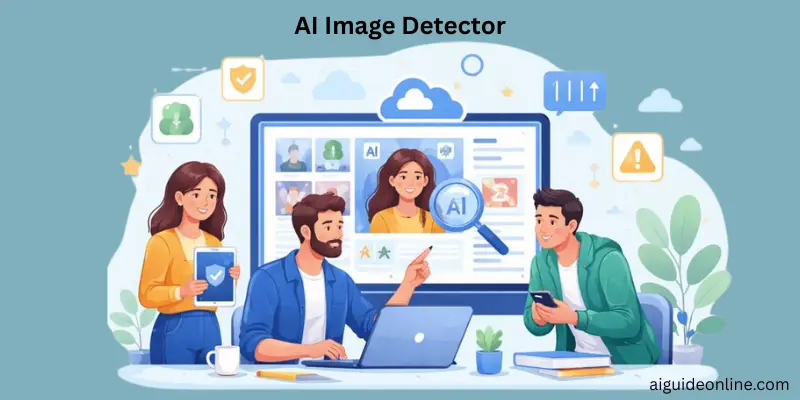
An AI image detector is a tool that helps you figure out whether a picture was made by AI or created by a real person. AI stands for artificial intelligence, which is a computer’s ability to do tasks that usually need human-like thinking. Most detectors work by letting you upload an image, then they scan and analyze it to decide if it looks AI-made or human-made. After the check, you usually get a clear result plus a confidence score or short report. Some tools also try to flag images that are modified, including things like deepfakes or manipulated photos.
Real Use Cases of AI Image Detector
Use an AI image detector anytime a picture could affect trust, safety, or money. It’s especially helpful when images might be edited, stolen, or made to mislead people online.
- Fake profiles & dating scams: Romance scammers often create fake profiles on dating apps and social media to build trust and ask for money.AI-made profile photos can make those fake accounts look more believable, so checking the image before you trust the person can help.
- E-commerce product photo fraud: Online listings can use edited or fake product images to mislead buyers, especially when the photo does not match the real item.An image detector can help you verify product photos before you purchase or publish a listing.
- News & misinformation checks:AI misinformation can spread fast, and fake visuals can create the wrong impression before anyone verifies them.Newsrooms and publishers may use image checks on submissions to help ensure photos are genuine before sharing them.
- Insurance / legal evidence: In insurance, manipulated photos can exaggerate damage or even show damage that never happened.For legal or verification cases, image screening can help flag AI-made or tampered visuals, including altered documents and deepfake faces.
- Education / academic integrity: In education and research, authenticity matters, and detection tools are used to protect original work and reduce misuse.Some university teams also use image detection to study and identify AI-generated content in digital media.

How AI Image Detector Works
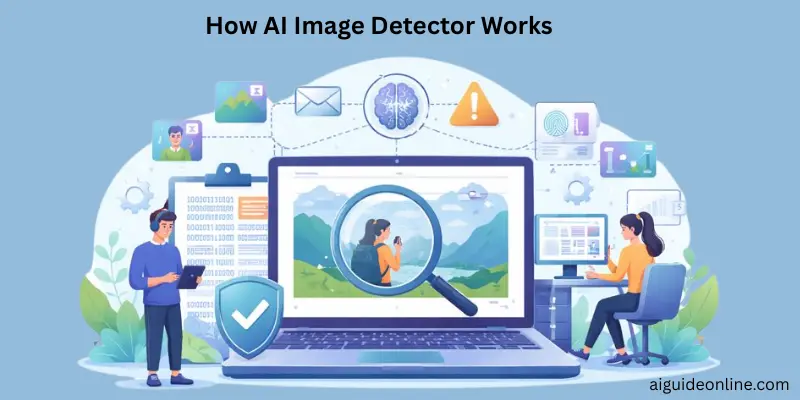
AI image detectors study the tiny clues inside a picture to decide whether it was made by a real camera or generated/edited by artificial intelligence. These tools use trained algorithms to find patterns humans often can’t see.
- Uses Machine Learning and Neural Networks: AI image detectors are built on advanced machine learning models trained on large sets of real and AI-generated images to learn differences in patterns and structures.
- Detects Hidden Visual Clues: They analyze subtle clues like textures, pixel noise, color gradients, lighting inconsistencies, and structural anomalies that may indicate AI generation.
- Produces a Confidence Score: After examining an image, most detectors give a score that shows how likely the image is AI-generated rather than simply labeling it “real” or “fake.”
- Compares Against Learned Patterns: Detectors compare the image to patterns learned during training, images that match known AI traits raise the likelihood of being AI-generated.
- May Use Metadata (When Available): Some tools also examine image metadata (like camera info or tags) to check for signs of AI-origin, but not all AI tools include such data.
- Not Perfect; Faces Real Challenges: Even advanced detectors can struggle with subtle, highly realistic AI images, and sometimes give misleading results, especially as image generation tech improves.
Accuracy of AI Image detector
AI image detector “accuracy” is not one fixed number—it changes a lot depending on the dataset, the generator, and what happens to the image after it’s made (compression, resizing, reposting).
- High accuracy is often reported in controlled settings, but a major benchmark study shows detectors can have significant performance drops on real-world data, with outcomes affected by image degradation and test-time preprocessing.
- Even the underlying transparency techniques are still maturing—NIST notes the efficacy of many approaches is not fully examined yet, and many may be years away from widespread deployment on mobile devices.
- Some organizations explicitly warn that AI image detection tool results can be unreliable, and that detection is an “arms race” requiring regular updates to improve accuracy.
- Under adversarial conditions, research shows attackers can dramatically decrease classification performance even without knowing the detector’s internal architecture (black-box conditions).
How to Use an AI Image Detector Tool
AI image detection tools let you check whether an image was likely created by a real camera or generated by artificial intelligence. These tools work online by analyzing visual patterns and then giving you a result. Steps vary slightly from one tool to another, but the core process is the same.
- Open the AI Image Detector Website or App: Go to a detector tool such as AI Image Detector online, or a similar service that supports image analysis.
- Upload the Image You Want to Check: Click the button to “upload” or “choose image” then select the photo from your device. Most detectors let you upload common formats like JPEG or PNG.
- Start the Analysis: After uploading, the tool automatically begins examining the image’s features, such as patterns, textures, and pixel details, to find signs of AI generation.
- Wait for the Results to Appear: Once the process finishes, the tool displays a result. This often includes a confidence score or verdict showing whether the image likely came from AI or from a real source.
- Review the Confidence or Likelihood Score: Results usually include a percentage or score indicating how strong the detector believes the image was AI-generated. Higher values often mean stronger evidence of AI.
Real-World Testing
Real-world testing means you don’t just test on “clean” lab images—you test in the same messy conditions people actually share images in.
- Test images from many places (unknown sources). AIGIBench describes testing on images “originating from unknown sources,” including real-world samples collected from social media and AI art platforms.
- Test images after real-life quality changes (unknown degradations). AIGIBench evaluates detectors on “robustness to image degradation,” and explains that test images may be “subjected to unknown degradations.”
- Test with the same pre-processing you’ll use in your tool. AIGIBench notes images often get pre-processed “such as cropping or resizing” before detection, and it measures the “impact of test-time pre-processing.”
- Expect performance to drop outside the lab. AIGIBench reports detectors can suffer “significant performance drops on real-world data,” even if they report high accuracy in controlled settings.
- Include “in-the-wild” manipulations like deepfakes. AIGIBench says detectors show “notable performance degradation” on “real-world manipulations such as DeepFakes and in-the-wild content.”
- Don’t rely only on metadata checks—test what happens when metadata is missing. OpenAI states “most social media platforms today remove metadata” and screenshots can remove it, so an image may lack C2PA metadata even if it was AI-generated.
- Re-test regularly, because detection isn’t stable forever. CAI warns detection results “can be unreliable” and that detectors are in an “arms race… requiring regular updates.”
- Be honest about limits in your results. NIST notes many approaches’ efficacy is “not fully examined yet,” and no single technique is a complete solution.
Privacy & Security
Content Credentials can show details about how an image was made, and that information is meant to be accessible to anyone who checks it. C2PA also supports identity choices (a real person, a pseudonym, or even anonymous), so you can control how much you reveal.
For security, these credentials are designed to be tamper-evident and cryptographically verifiable, so later changes can be detected. C2PA describes authenticity as facts (like provenance data) that can be cryptographically verified as not tampered with—and OpenAI notes that while metadata can be removed, it isn’t easy to fake or alter once it’s there.
Supported Formats and Limits of AI Image Detector
AI image detectors usually accept standard image file formats that are common on cameras, phones, and the web. These formats include JPEG (.jpg/.jpeg), PNG (.png), WebP (.webp), and GIF (.gif) for most tools. Some detectors also support BMP and other widely used formats.
Supported Formats
- Common Supported Image Formats: Most AI image detectors accept JPEG, PNG, GIF, and WebP files — the formats that nearly all digital images use.
- Optional Support for Other Formats: Some detectors also allow BMP and other standard formats, depending on the specific tool’s design.
- Animated Images: For formats like animated GIFs, some systems process only the first frame or treat them as video frames.
Limits of AI Image Detector
- File Size Limits: Most online AI image detectors set a maximum upload file size to ensure quick analysis and good performance. A common limit is around 10 MB per image, meaning larger files may be rejected or need compression before upload.
- Resolution and Dimensions: While many detectors don’t publicly specify exact resolution limits, very high-resolution files may be slower to process or need resizing for best performance. Some advanced APIs and tools recommend minimum resolution for reliable detection.
- URL Input Options: Certain tools allow image detection by using a direct image URL instead of uploading a file — often with the same format support as file uploads.
Don’t Rely Only on Detectors (Pro Move)
While AI image detectors can be helpful, relying on them as the only method of verification is not a good idea. The Content Authenticity Initiative (CAI) explains that these tools can be unreliable and should be used as part of a larger process for determining authenticity. Detectors, like others in the field, are constantly evolving in an “arms race” to improve, and results may not always be accurate.
Even tools that look at metadata or use forensic detection techniques have limitations. For example, NIST points out that while synthetic content detection can reveal helpful clues, detectors can miss things—especially in real-world situations where the content has been altered, degraded, or manipulated.
Real-world testing also shows how detection tools can underperform. The AIGIBench report shows that these tools often fail when faced with noisy, degraded, or manipulated content, as they were trained on “clean” test sets and do not always generalize well. Adding to this, detectors are vulnerable to adversarial attacks, where attackers can manipulate images in a way that lowers the performance of the detection tool.
Conclusion
So, we’ve covered a lot about AI image detectors today, from how they work and the different types of formats they support, to the limitations and challenges they face. We also explored how relying solely on detectors might not be the best move, especially since they can sometimes miss important details or fail in real-world situations.
My personal recommendation is to always use a combination of methods—whether it’s checking metadata, running forensic detection, or simply looking at the image closely. It’s all about being thorough, folks! No tool is perfect, so adding an extra layer of verification is always a good idea.Keep learning and stay tuned for more tips!
FAQs
AI image detectors are tools made to check whether a picture was created by a computer or taken by a human. They look at patterns, pixels, and other clues in the image to make a guess. People use them to catch fake or manipulated visuals on the internet.
Some tools can be very good in tests, with scores like around 97% accuracy on clean sets of images.But other detectors do much less well, with accuracy dropping below 70% or even near random guessing on the same tests.So accuracy varies a lot depending on the tool and the images being checked.
Yes, they can make mistakes by saying a real image was AI‑generated or that an AI image was real.Experts say current detectors are not fully reliable and sometimes have high false positive or negative rates.That’s why it’s smart to double‑check results instead of trusting them blindly.
Sometimes they struggle when images are changed, compressed, or resized. Tests show a detector might spot an AI image before compression but miss it after the file is made smaller.This means real‑world versions of pictures can be harder to judge than clean originals.
No. Detectors are helpful but not perfect, and experts warn against treating them as a final answer.They are best used with other checks, like human review and metadata tools, to be more confident in results.
Yes. In head‑to‑head tests, some tools like “AI or Not” scored much higher than others, while others missed many AI‑generated images.This shows choice of detector matters for how well you can tell real and fake apart.
In general, machines trained for detection do better than most people at recognizing AI‑made images.But both humans and detectors can be fooled, so combining human judgment with tools works best.



- Be Respectful
- Stay Relevant
- Stay Positive
- True Feedback
- Encourage Discussion
- Avoid Spamming
- No Fake News
- Don't Copy-Paste
- No Personal Attacks
- Be Respectful
- Stay Relevant
- Stay Positive
- True Feedback
- Encourage Discussion
- Avoid Spamming
- No Fake News
- Don't Copy-Paste
- No Personal Attacks
