Kipper AI Review 2026: Features, Pricing, Pros & Cons
Published: 5 Feb 2026
Kipper AI is an online writing assistant built to help students with schoolwork like essays and summaries. It works as an AI-powered tool that can generate content, check text for authenticity, and improve grammar. The platform claims to produce plagiarism-free content and make AI writing undetectable by many AI detection systems, helping users feel more confident about turning in their work without it being flagged. This approach makes it stand out from basic writing helpers that only check spelling or grammar.
In addition to essays and summaries, Kipper AI offers tools that enhance text summarization and simplify tricky assignments so students can understand material faster. The site also includes features for fixing mistakes and finding citations automatically. Many users like that it brings multiple features into one space, letting them create, revise, and polish their school writing in one place. However, opinions vary because not all its claims are proved equal by tests.
What Is Kipper AI?
Kipper AI is an AI-powered tool designed to help students and writers with academic tasks and everyday writing. It acts as a writing assistant that can handle essay writing, text summarization, grammar correction, and more. You can use it to produce plagiarism-free content, fix grammar mistakes, and get help with citation support and study-related needs.
The company positions Kipper AI as a one-stop student tool for faster and smarter writing. These features make it useful for essays, homework help, and study work.If you interested in other tools, check out my guide on Aithor AI.
How Does Kipper AI Work?
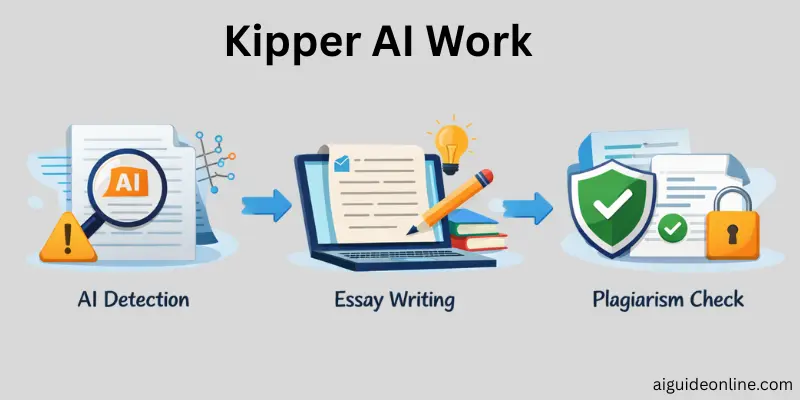
Kipper AI works by using machine learning algorithms and Natural Language Processing to interpret your input and generate written content. When you type a topic, Kipper’s AI models analyze your request and produce essays, summaries, and writing enhancements faster than manual research.
Behind the scenes, this state-of-the-art technology pulls from patterns in language to craft text that feels natural and relevant.
The process starts with you entering your task details. For essay writing, you include a topic, instructions, and length, and the platform’s AI gets to work. For summarization, you provide large text or links, and Kipper’s summarizer tool condenses the key points.
For grammar improvement, it checks for grammar mistakes and suggests fixes so your text becomes clearer and easier to read.
How to Use Kipper AI?
To start using Kipper AI, first go to the official website and create an account. You can sign up with your email or a Google account. This gives you access to the tools inside the dashboard, like the essay writer, summarizer, question answering, and text enhancer. Once signed in, you’ll see a simple interface that makes it easy to find each feature you need.
After logging in, you can pick a tool based on your task. For writing essays, choose the “Essay Writing” section. Enter your topic, instructions, and any sources you want included, then click the button to generate your essay. For long pieces of text, use the summarizer tool: paste the text or a link, choose how long you want the summary, and click summarize. To fix writing quality or grammar mistakes, use the “Text Enhancer” area and paste your draft there.
Kipper also has a question answering feature where you type a question and get a detailed answer, similar to a tutor. Try each tool during the free trial or plan you choose so you can see how it helps with your work. Evaluate how the tool performs and whether it suits your writing needs before settling on a paid subscription.
Kipper AI Review: Features and Performance
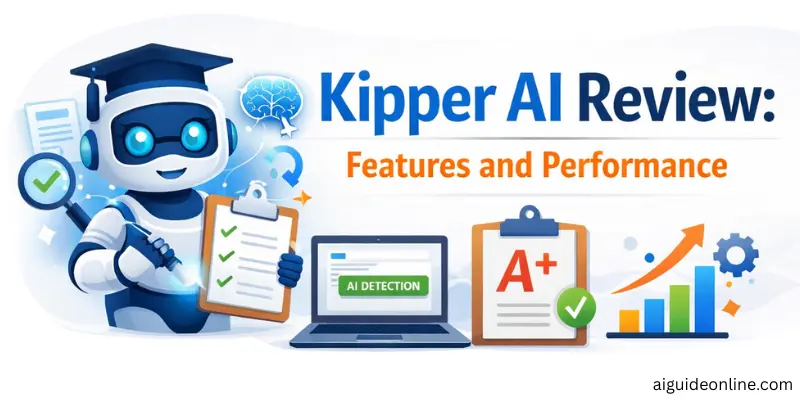
Kipper AI brings many tools designed to support students and writers with writing assistant tasks and academic work. The platform uses natural language processing and machine learning algorithms to generate content and analyze text performance, but not all tools are perfect for every task. Users should know what each feature does and where it may fall short.
- AI Essay Writer: Produces full essays quickly with claims of plagiarism-free content and built‑in anti-detection tools.
- AI Detector: Scans text to check if it was AI-generated and includes options to humanize wording.
- Summarizer Tool: Condenses long texts, webpages, or videos into short summaries for easier study.
- Text Enhancer: Improves grammar, clarity, and writing flow to fix grammar mistakes.
- AI Teacher / Q&A: Answers questions and helps explain topics like a tutor.
- Citation Finder: Helps locate sources and format references.
- Live Note Taker: Can generate notes from spoken lectures.
Pros and Cons of Kipper AI
In this section, we look at the practical advantages and disadvantages of using Kipper AI. These are based on real user reviews and independent tests from multiple sites.
Advantages of Kipper AI
Here are some of the main benefits people report when using Kipper AI:
- Users say the AI essay writer and AI detector can save a lot of time on homework and writing tasks.
- The interface is clear and easy to use, even for beginners.
- Many appreciate that the platform combines writing tools like summaries, grammar fixes, and detection in one place.
- Teachers and students find the simple layout helpful for quick tasks.
Disadvantages of Kipper AI
Here are issues that real users and reviewers have highlighted:
- Some customers report difficulty cancelling subscriptions and poor support responses.
- Independent reviews note that text generation quality and accuracy can be inconsistent or error‑prone.
- The AI detection and essay outputs sometimes struggle with more complex writing tasks.
- A few users describe misleading experiences or glitches in features behind referral walls.
Kipper AI Pricing
Kipper AI uses clear pricing with daily and monthly options. The most common paid plan costs about $0.99 per day, which totals around $30 a month when you pay monthly. That plan gives you full access to all tools such as essay generation, summarization, AI teacher, and text enhancement.
Some sources say Kipper also offers a free plan with limits, such as only a small number of words per month, and business plans with customized quotes. Prices and terms may change, so it’s good to check the official pricing page for the latest details.
| Plan | Price | Features |
| Free (limited) | Free | Limited writing tools |
| Standard | ~$0.99/day (~$30/mo) | Full access to all writing tools |
| Business | Custom quote | Enterprise use |
Kipper AI Detector Review: Accuracy Tests & Alternatives
The Kipper AI Detector is designed to check whether a piece of text was written by a human or generated by AI. The company claims that its detector can make text undetectable by other systems, helping users avoid being flagged by academic or AI detection software. On Kipper’s official site, it states the tool aims to help users create AI‑generated work that won’t be detected as such.
However, independent tests and expert reviews show mixed results on accuracy. Some reviewers have found that Kipper’s detector is useful for simple tasks and easy to use but does not always perform as accurately as dedicated tools built just for AI analysis. In head‑to‑head comparisons, tools like Copyleaks and GPTZero are considered more reliable for spotting AI text and offering deeper reporting, making them common alternatives for educators and professionals.
Kipper AI vs Other AI Tools: A Comparison
Kipper AI competes with other popular writing tools like Jasper, Grammarly, and Walter AI. Compared to basic grammar checkers, Kipper’s suite offers more student-focused tools.
However, tools like Grammarly provide more advanced grammar checks and broader integrations, while Walter AI may be stronger in accurate AI detection.
The right choice depends on what you need. If you want student help with essays and summaries, Kipper may work well. If you need professional-level editing or marketing writing support, other tools might be better.
User Experience and Interface of Kipper AI
Users of Kipper AI often find the platform’s interface simple and clean, making it easy to access different tools like essay writing, summarization, and grammar correction once logged in.
The dashboard places all major features where they are easy to find, and the overall layout doesn’t require technical skills to use, which many learners appreciate. This ease of use helps students start generating content and checking writing quickly without a steep learning curve.
However, reviews from real users show that the user experience can be mixed, especially when the platform lags or runs into errors. Some users reported that certain features aren’t immediately available without extra steps (like asking friends for access), and slow performance on tasks like summarization can be frustrating.
While the simple design is a plus, inconsistent performance and occasional glitches lower overall satisfaction, according to user feedback.
Conclusion
Overall, Kipper AI delivers a powerful set of tools for students and writers looking to boost productivity and handle academic tasks more efficiently. It combines essay writing, text summarization, grammar correction, and AI detection in one platform that is easy to use. The pricing is straightforward and accessible for many users, but real performance and value depend on your goals.
If your priority is quick drafts and study help, Kipper AI can be a strong choice. If you need more polished outputs or professional features, it might be worth trying alternatives too. The key is finding the right balance of simplicity, performance, and accuracy for your academic or writing needs.
FAQs
Kipper AI does not offer a fully free plan where you can use all tools without paying first. Some sources say a free plan with a word limit exists, but others report you must subscribe before full access. Either way, you can’t use all features for free without limits.
Kipper AI pricing is simple and affordable for many students, costing about $0.99 per day (around $30/month) for unlimited use of all tools. This plan gives access to writing, summarizing, and detection features under one price. Some people find it fair, but other tools may offer more features for similar money.
Kipper AI creates essays by processing your topic and instructions with its writing system. You enter the topic and details, and the system generates a draft based on that input. The goal is to write text faster than you could on your own.
Kipper AI has tools that check and fix grammar and help summarize long texts. It can make sentences clearer and help you catch errors you might miss. These tools can make drafts easier to read and edit.
Students use Kipper AI to generate essays, summarize long chapters, and refine their writing. The platform also offers features like flashcards and practice exams to help with studying. These tools aim to reduce time spent on homework.
The Kipper AI detector can spot simple AI‑generated text and help check authenticity. In some tests, it missed more complex patterns compared to tools like GPTZero or Walter AI. It works okay for basic checks but isn’t perfect.
Kipper AI may suit students and casual users who want help with essays, grammar, or summaries. It also works for people who need fast drafts and basic study tools. Users who need very deep writing quality or advanced detection accuracy might prefer other platforms.
Kipper AI is focused on academic writing and education features, while ChatGPT is a general language model for many uses. ChatGPT may offer broader conversational and writing support, and in some cases, more natural and deeper content quality. Whether one is “better” depends on what you need. ChatGPT isn’t strictly the same type of tool as Kipper AI, so many people use them for different purposes.






- Be Respectful
- Stay Relevant
- Stay Positive
- True Feedback
- Encourage Discussion
- Avoid Spamming
- No Fake News
- Don't Copy-Paste
- No Personal Attacks
- Be Respectful
- Stay Relevant
- Stay Positive
- True Feedback
- Encourage Discussion
- Avoid Spamming
- No Fake News
- Don't Copy-Paste
- No Personal Attacks
