Pikzels AI Review 2026: Features, Pricing, Pros & Cons
Published: 9 Feb 2026
Creating custom thumbnails is essential for content creators, and Pikzels makes it simple and fast. This AI-powered thumbnail generator helps users design professional-looking custom video thumbnails in just seconds. It combines FaceSwap technology with AI title generation to make thumbnails that capture attention and improve click-through rates. With multi-format thumbnail support, Pikzels works for YouTube, TikTok, and other social media platforms.
For anyone struggling to create thumbnails manually, this tool acts as a thumbnail recreation tool and a full YouTube thumbnail maker. Its social media marketing tool functions ensure videos look professional and optimized. Whether you are new or experienced, Pikzels is designed to save time while enhancing video content optimization.
For more on boosting productivity, see our complete guide on Studley AI, where we review top tools for students and professionals.
What is Pikzels AI?
Pikzels is an AI-powered thumbnail generator that creates professional-quality custom video thumbnails for content creators and marketers. By using FaceSwap technology, it allows creators to add their own face to thumbnails for a personalized touch. This AI design software supports multiple formats and dimensions to fit various platforms.
The platform also offers AI-powered title suggestions and a thumbnail recreation tool. You can paste a link to an existing thumbnail and let Pikzels regenerate it with improvements. This makes it easier for content creators and YouTubers to maintain consistent branding and increase viewer engagement.
What Makes Pikzels Different from Other Thumbnail Tools
Unlike traditional design software, Pikzels ai offers rapid thumbnail creation, generating eye-catching thumbnails in under 30 seconds. Its easy to use interface is suitable for beginners and professionals alike. Frequent updates ensure the platform stays relevant with trends in video content optimization.
It also combines several features into one thumbnail creation platform, including multi-format thumbnail support, FaceSwap technology, and AI title generation. This makes Pikzels a unique content creator tool compared to other digital marketing software, where most features are sold separately.
How does Pikzels AI WORK
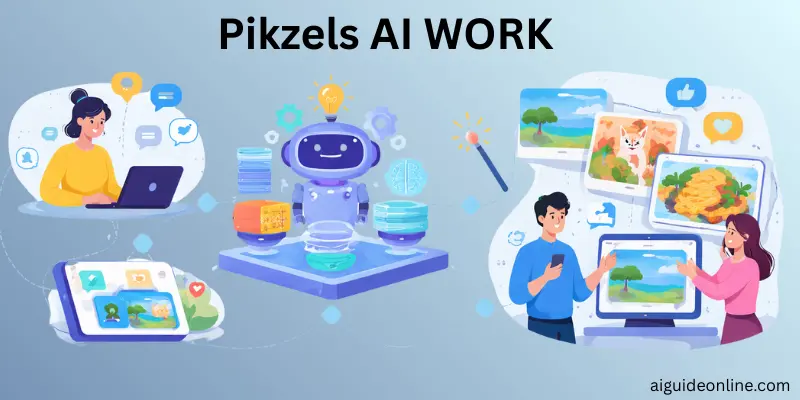
Pikzels AI turns your words or links into ready‑to‑use thumbnails in just seconds. You start by typing a description of your video or pasting a link to a thumbnail you like, and the system quickly generates visual options based on that input.
After you enter your prompt or link, Pikzels uses trained models to produce multiple thumbnail designs in about 20–30 seconds, letting you pick the best version. You can then edit parts of the image, swap in your face, or adjust elements through simple commands before downloading the final result.
Key Features of Pikzels AI
Pikzels AI help creators save time and improve video clicks. Each feature focuses on speed, ease of use, and strong visual impact for social platforms.
- AI Thumbnail Generation quickly turns ideas into clean, professional thumbnail designs
- FaceSwap Technology lets creators add or replace faces for better branding and recognition
- AI Title Generation creates catchy video titles from a short description
- Thumbnail Recreation Tool allows users to remake or edit existing thumbnails using links
- Multi-Format Support ensures thumbnails work well on YouTube, TikTok, and other platforms
Use Cases for Pikzels AI
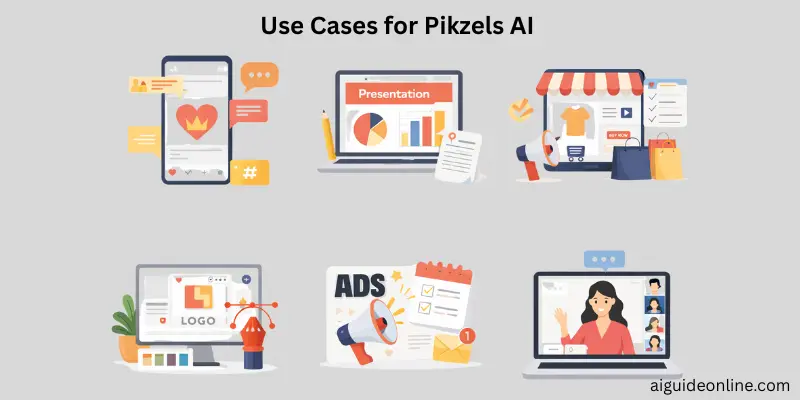
The Use Cases for Pikzels show how this tool fits into daily content work. It helps different professionals create clean, high-quality thumbnails fast, without heavy design skills.
- Marketing Managers use Pikzels to design eye-catching thumbnails for campaigns and promotions
- Social Media Managers create consistent visuals across YouTube, TikTok, and other platforms
- Video Editors save time by generating ready-to-use thumbnails instead of designing from scratch
- Advertising Managers improve ad click-through rates with bold and clear thumbnail visuals
- YouTubers quickly produce custom video thumbnails for new uploads and trends
- TikTokers create short-form friendly thumbnails that match fast-moving content
- Brand Managers keep a uniform brand look across all video content
- Content Creators pair thumbnails with AI title ideas for better reach
- Video Producers speed up production without adding design costs
- Digital Marketing Specialists boost video content optimization while saving hours of work
Who Should Use Pikzels
The Who Should Use Pikzels is about finding the right people who can get the most value from this tool. If you work with videos or online marketing and want fast, clean thumbnails, this tool fits well.
- YouTubers who want eye-catching thumbnails without hiring a designer
- TikTokers creating daily content that needs quick visual updates
- Content Creators looking for custom video thumbnails in less time
- Video Editors who want to speed up their editing workflow
- Digital Marketing Specialists handling multiple campaigns at once
- Marketing Managers focused on brand consistency
- Brand Managers managing visuals across many platforms
- Advertising Managers updating or reusing old thumbnail designs
- Beginners who want an easy to use interface
- Professionals who need fast results with AI design software
Pricing for Pikzels
Pikzels offers three main plans to match different needs and budgets. These plans work well for solo creators, growing channels, and large teams.
| Plan | Monthly Cost | Thumbnails Per Year | Credits | Key Features |
| Essential | $10 | 120 | 1,200 | FaceSwap, AI title generation, thumbnail recreation, multi-format support |
| Premium | $30 | 900 | 9,000 | All Essential features plus early access to new tools |
| Ultimate | $70 | 2,700 | 27,000 | Full feature access with the highest credit limit |
Pros and Cons of Pikzels AI
In this section, we will look at the pros and cons of Pikzels AI. This helps you decide if it fits your work style and content goals.Both sides matter before choosing any tool.
| Advantages of Pikzels AI |
|---|
|
| Disadvantages of Pikzels AI |
|---|
|
Best Pikzels AI Alternatives
If you want other tools to create YouTube thumbnails or AI thumbnail generation, several strong options exist that some creators prefer over Pikzels. These alternatives vary in style, ease of use, and creative control.
One popular alternative is WayinVideo, which gives creators more initial credits and easier customization for personal branding than some Pikzels plans. It emphasizes unique designs and multiple thumbnail versions to help with click‑through rates and A/B testing.
AIThumbnail.so focuses on fast, AI‑powered thumbnail creation using advanced models such as GPT‑4o and Stable Diffusion, letting creators generate professional thumbnails even without design skills. ThumbnailCreator.com builds on millions of trained images to deliver clear, high‑impact thumbnails quickly, which can help overcome design challenges for small channels. Thumbmachine offers tools like background removal and palette generation, supporting more creative design options, while VideoSnapshot uses video frame selection to produce authentic, high‑quality thumbnails directly from content.
Other well‑known design tools like Canva and Adobe Express aren’t purely AI thumbnail makers, but they’re widely used by content creators for thumbnail design because of large template libraries and flexible editing options. Snappa, Fotor, and Pixlr also serve as alternatives when you want more manual control alongside quick thumbnail creation features.
All of these alternatives help creators save time and produce engaging thumbnails, and many offer free or low‑cost options if you’re just starting out.
Conclusion
Pikzels AI is a powerful AI-powered thumbnail generator designed to help YouTubers, TikTokers, and Content Creators save time while producing professional thumbnails. Its FaceSwap technology, AI title generation, and multi-format thumbnail support make it a versatile social media marketing tool. With flexible pricing and unique features, Pikzels stands out as an efficient thumbnail creation platform for anyone looking to improve video content optimization.
FAQs
Pikzels AI is mainly used as an AI-powered thumbnail generator to make custom video thumbnails and titles fast for platforms like YouTube and social media. You put in a prompt or link, and it creates multiple thumbnails in seconds. This helps creators who want eye-catching thumbnails without graphic design skills.
You start by entering your video details or a prompt into the system. Pikzels analyzes what you enter and produces professional thumbnails and AI-powered title suggestions tailored to your content. You can also upload your own image to personalize designs with features like face swap.
Yes, Pikzels often offers a free trial or limited plan so creators can test the system before buying. However, many creators note that trial versions may have restrictions like watermarks or limited credits.
This can vary depending on the current platform support and updates, so check Pikzels’ website or app store listing for the latest mobile availability. Some users find that mobile web access may be limited or slow compared to the desktop version.
Most plans give you credits each billing cycle, and by default they stay valid as long as your subscription is active. In many cases, Pikzels also offers options to roll over unused credits for future use.




- Be Respectful
- Stay Relevant
- Stay Positive
- True Feedback
- Encourage Discussion
- Avoid Spamming
- No Fake News
- Don't Copy-Paste
- No Personal Attacks
- Be Respectful
- Stay Relevant
- Stay Positive
- True Feedback
- Encourage Discussion
- Avoid Spamming
- No Fake News
- Don't Copy-Paste
- No Personal Attacks
