Remaker AI: Complete Guide to Creative Photo and Video Tools
Published: 21 Jan 2026
Remaker AI has quickly become a go-to tool for creative people because it offers powerful visual tools that anyone can use right in a web browser without installing software. In this complete guide, we’ll take you step by step through what Remaker AI can do, how its tools work, and how you can use them to improve your photos and videos.
You’ll learn about the image generator for making new visuals, the face swap feature for fun edits, the video enhancer for clearer clips, the photo upscaler for better quality, and the background remover for clean, sharp results. By the end, you’ll understand how to use Remaker AI with confidence and ease.If you want to explore another tool, check out my complete guide on Supawork AI.
What is Remaker AI?
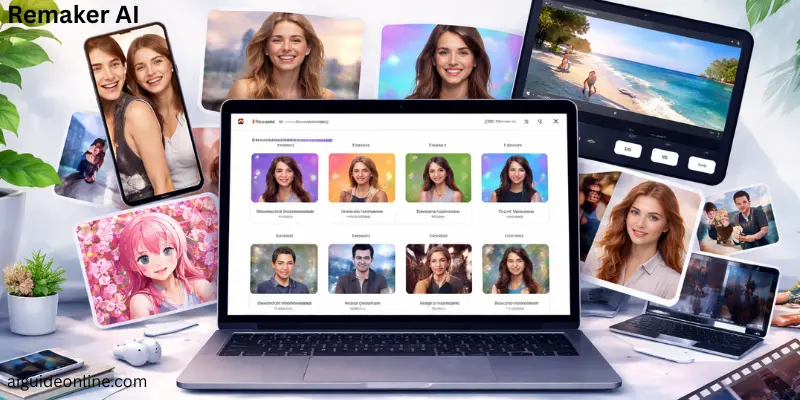
This is a web-based AI tool that helps people create and edit photos and videos using smart computer technology. It lets users do creative tasks like swapping faces in pictures and videos, making new portraits, and improving the quality of old photos. The tool works online so you don’t need to download any heavy software.
This tool is easy for beginners and useful for professionals too. You can make fun social posts, professional headshots, or marketing visuals without deep editing skills. Some features are free, and others use credits you buy one time. This makes it a flexible choice for many creative projects.
Who Created Remaker?
Remaker was created by a group of professional AI developers and engineers who wanted to build smart editing tools for everyday users. They focused on making powerful artificial intelligence simple so people can edit photos and videos without any design training.
The team behind Remaker AI did not become famous before this project, and the company does not list a single well-known creator in its official info. Instead, it grew from tech experts working together to solve real editing problems.
Their goal is to give people creative freedom with tools like face swapping, background removal, and image enhancement, all powered by AI. These tools help both casual users and professionals make great visuals faster and easier.
Remaker AI Features (Review)
This tool offers many tools for editing photos and videos using artificial intelligence. Below are its main features with simple scores and short descriptions.
- AI Face Swap – Lets you swap faces in photos or videos with good results in simple scenarios, though complex angles can be tricky.
- Batch Face Swap – Change faces in many images at once, which saves time, but it may not align features always perfectly.
- Video Face Swap – Swaps faces in longer videos (up to around 30 minutes) but clarity can vary and it uses credits.
- AI Portrait – Creates portraits from pictures or prompts in different styles, but the results sometimes miss details.
- AI Art Generator – Makes images from text, though results may not always be high quality and take time.
- AI Image Upscaler – Upscales images to higher resolution, but it often doesn’t improve quality much.
- AI Talking Video – Turns photos into talking clips, a fun feature, though it can look blurry or unnatural.
- Remove Background – Removes backgrounds cleanly from images, good for making subjects stand out.
- Image to Video Generator – Adds motion to still images to make short videos, useful but output depends on original image quality.

How to Use Remaker AI?
Remaker AI is easy to use for editing and enhancing photos or videos with AI tools. Below is a simple step-by-step guide to help you get started quickly.
- Open the Website – Go to the official Remaker AI website in your web browser to begin.
- Sign Up or Log In – Create a free account using your email or Google login to get free credits for tools.
- Explore Tools – After login, you’ll see many tools like Face Swap, AI Portrait, Image Enhancer, and more. Pick the one you want to use.
- Upload Your Photo/Video – Click the tool you chose and upload an image or video you want to edit.
- Set Custom Options – Some tools let you adjust extra settings like face alignment or prompt text before the AI begins.
- Generate and Preview – Tap the “Generate” or “Start” button and wait a few seconds for the AI to create your result.
- Download Your Output – Once processed, preview the final edit and download it to your device.
- Manage Credits – Keep track of credits used on the dashboard and buy more if needed — extra credits unlock more AI edits.
Remaker AI Use Cases
Remaker AI helps people create and edit images, videos, and creative visuals using simple AI tools. It is useful for social media, marketing, creative projects, and everyday editing tasks.
- Social Media Content Creation – Users can make eye-catching posts by swapping faces, creating talking avatars, or generating dynamic visuals for platforms like Instagram and TikTok.
- Marketing and Advertising – Marketers use AI-generated images and creative edits to build promotional content, ads, and campaign visuals with minimal effort.
- Entertainment and Fun – People make funny or imaginative edits by swapping faces in photos and videos or turning still images into entertaining clips.
- Product and E-commerce Visuals – Businesses can remove backgrounds, enhance images, or create images of products for online catalogs and ads.
- Personal Projects – Users can fix group photos, create unique avatars, or make personalized digital gifts using face swaps and AI visuals.
- Film and Media Drafting – Creators can use face swap and edit tools to prototype visual ideas or test edits before final production work.

Pros and Cons of Remaker AI
In this section, we will look at the benefits and drawbacks of Remaker AI. This will help you understand what makes it useful and where it might have some limitations.
| Pros of Remaker AI |
|---|
|
| Cons of Remaker AI |
|---|
|
Remaker AI Pricing
Remaker AI does not charge a fixed monthly fee for its tools. Instead, it uses a credit-based pricing system where you buy credits once and use them whenever you want.
- Free Credits for New Users – When you sign up, you usually get some free credits to test tools before buying more.
- One-Time Credit Packs – You can buy credits in different sizes, and they do not expire.
- 150 credits — around $2.99
- 530 credits — around $9.99
- 1,100 credits — around $19.99
- 3,000 credits — around $49.99
- 20,000 credits — around $299
- No Subscription Required – You pay only for credits you buy. There’s no recurring monthly subscription you must cancel later.
- Flexible Payment Methods – You can pay with credit card, debit card, Apple Pay, Google Pay, and other common methods.
Best Remaker AI Alternatives
If you want other tools like Remaker AI for face swapping, image editing, or creative AI results, there are several good options you can try. These offer similar features for fun edits or advanced edits.
- Pica AI – A flexible face swap tool with templates, daily free credits, and extra AI features like avatars and background removal.
- Face Swapper AI – Fast and simple tool for face swaps and animated GIF edits, easy for quick results.
- Pixlr AI Face Swap – Online face swap feature inside a full photo editor with themed templates for creative looks.
- AIFaceSwap.io – A free face swap platform with video support and no login required, offering multi-face swapping.
- DeepSwap.ai – Strong choice for video face swaps and multimedia edits with more accuracy and quality.
- FaceApp – Popular mobile app for fun face transforms like aging, gender swap, and style edits.
- AKOOL – An advanced platform with voice-enabled avatars and customizable video edits beyond simple swaps.
Remaker AI Comparison with Other AI Tools
Remaker AI is a versatile online platform for AI-powered photo and video editing. Here’s how it stacks up against other popular AI tools, highlighting differences in features, usability, and focus.
- Remaker AI vs Dezgo – Remaker AI offers multiple editing tools including face swap and image enhancement, while Dezgo focuses mainly on text-to-image generation.
- Remaker AI vs Midjourney – Remaker AI is beginner-friendly and all-in-one, whereas Midjourney on Discord is known for creating highly artistic and stylized images.
- Remaker AI vs Craiyon – Remaker AI provides full editing and generation tools, while Craiyon is free and simple, mainly for quick image creation.
- Remaker AI vs Adobe Firefly – Remaker AI is versatile with many AI features, whereas Adobe Firefly is part of Adobe Creative Cloud focusing on commercially safe images.
- Remaker AI vs Stable Diffusion – Remaker AI is easy for general users, while Stable Diffusion is an open-source AI model suited for technical users seeking flexibility.
- Remaker AI vs Canva – Remaker AI specializes in image generation and editing, whereas Canva is a design platform with AI image generation as one of its features.
- Remaker AI vs Leonardo AI – Remaker AI focuses on general image generation and editing, while Leonardo AI emphasizes community and training custom AI models.
- Remaker AI vs Fotor – Remaker AI provides a wide range of AI tools, whereas Fotor is mainly an online photo editor with an AI generator included.
- Remaker AI vs Picsart – Remaker AI is an all-in-one web platform, while Picsart is mobile-focused with image and video editing AI features.
- Remaker AI vs ChatGPT & Gemini – Remaker AI directly generates images, while ChatGPT and Gemini are text-based AI tools that can suggest prompts but cannot create images themselves.
- Remaker AI vs StarryAI – Remaker AI edits and generates images online, while StarryAI is mobile and web-based, giving users full ownership of AI-created art.
Conclusion
In conclusion, Remaker AI is a flexible AI tool that brings a wide range of photo and video editing features together in one place. It lets users do things like face swaps, background removal, portrait creation, and image upscaling with an easy‑to‑use interface that doesn’t require deep technical skills. The platform works on a credit‑based model so you can start for free and pay only for what you use, which is ideal for beginners and casual creators alike.
However, while the tool has many strengths and creative possibilities, there are some limitations to keep in mind. Free credits are limited and some advanced functions may require purchases, and results can vary depending on file complexity and quality. Despite these constraints, many creators find Remaker AI useful for quick edits and social content because it simplifies tasks that used to take much longer with traditional software.
FAQs
The image generator lets you create pictures from text or prompts and turn ideas into visuals with AI. It can also produce anime‑style and artistic images easily. This tool is good for quick creative images without needing design skills.
The face swap tool replaces someone’s face in a photo or video with another face you choose. It finds facial features and blends the new face so it looks natural, even in group photos or clips. You upload your images and the AI does the rest.
Remaker AI has lots of creative tools in one place, such as image generation, face swapping, upscaling, and background removal. It’s easy to use and works right in your browser without needing special software. You can start for free and only pay for extra credits.
Yes, it includes a video quality enhancer that can make videos clearer and sharper automatically. This helps improve low‑quality or old videos before sharing them online.
To edit photos, you upload your image to the Remaker AI platform. Then choose the tool you want, like photo enhancer, background remover, or face swap. The AI processes it quickly, and you can download the result when it’s done.
Yes, Remaker AI gives new users free credits when they sign up, so you can try some basic features without paying. Some tools might still require credits for full use. You can also buy more credits if you need extra edits.
Remaker AI includes tools like photo enhancement, background removal, face swapping, and image upscaling. It can also turn photos into videos and support fun creative edits. All tools are powered by AI to make editing simple.
Yes, Remaker AI works on computers, phones, and tablets through your web browser or apps. You just log in with your account and start editing, regardless of your device.






- Be Respectful
- Stay Relevant
- Stay Positive
- True Feedback
- Encourage Discussion
- Avoid Spamming
- No Fake News
- Don't Copy-Paste
- No Personal Attacks
- Be Respectful
- Stay Relevant
- Stay Positive
- True Feedback
- Encourage Discussion
- Avoid Spamming
- No Fake News
- Don't Copy-Paste
- No Personal Attacks
