Unlucid AI Guide: Features, Trust Concerns, and Alternatives
Published: 28 Jan 2026
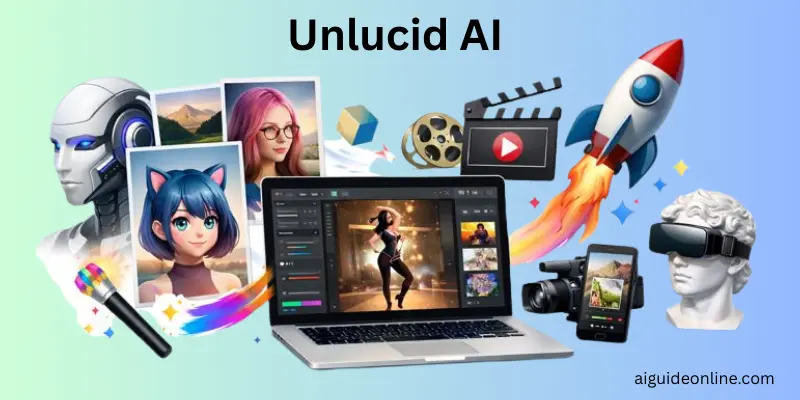
Unlucid AI is an online creative platform that gives users uncensored AI tools to generate, edit, and animate visual content. The site calls itself a place for dreamers to use video effects, image editing, and animation without heavy restrictions. Users get free gems daily that they can spend on image or video creations, and the tool offers more than 15 unique video effects such as Dance, Squish, Zoom, Smash, and Reveal.
You can easily turn still pictures into short videos or create images from text prompts, all in a browser without needing technical skills. In this guide, we’ll walk you through what matters most, including real user experiences, safety concerns, practical use cases, and who this tool is actually suited for, so you can decide if it’s right for you.If you’d like to explore more tools like this, check out my in-depth guide on the QuillBot Humanizer.
What Is Unlucid AI?
Unlucid AI is an online creative platform that helps people create images and videos directly in their web browser. Users can generate visuals from text prompts or upload their own images and edit them easily. The platform also lets users add motion effects and animations to make content more dynamic.
Unlucid AI is designed for beginners and casual creators, so it doesn’t require any complex software or technical skills. It offers built-in image editing tools and video effects that make visual creation simple and fun.
The platform works on a credit system. Users get free credits every day and can buy more credits if they want access to advanced features.
Key Features
Unlucid AI offers a set of creative tools designed to help users generate, edit, and animate visual content directly from a web browser. The platform focuses on simplicity and creative freedom, making it accessible to beginners as well as casual creators.
- Text-Based Image Creation: Users can generate images by writing prompts, choosing from multiple visual styles such as realistic, anime, cartoon, pencil, and 3D, as described in product reviews and launch summaries.
- Image Editing Tools: The platform allows users to modify existing images by removing objects, adjusting visual elements, and refining details without needing professional editing software.
- Photo Animation Effects: Unlucid AI includes preset motion effects that turn static images into short animated clips, helping users create engaging visual content for social media and personal projects.
- Browser-Based Access: All features run directly in a web browser, with no downloads required, which is highlighted across multiple tool listings and reviews.
- Credit System Using Gems: The platform operates on a Gems-based system that provides daily free credits, with paid options available for extended or advanced usage.
How Unlucid AI Works
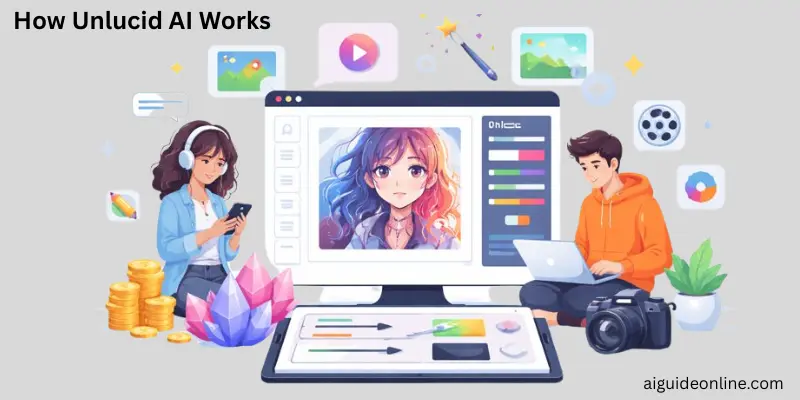
Unlucid AI works through a simple browser-based interface where users create visual content using built-in creative tools. The platform is designed so that anyone can start without installing software or learning complex steps.
When a user signs in, they receive daily free credits called Gems, which are used to access different creation and editing options. These credits allow users to generate images from text prompts, upload images for editing, or apply visual effects. Advanced actions such as higher-quality outputs or repeated generations require additional Gems, which can be earned daily or purchased.
The platform organizes its tools into clear sections, including image creation, image editing, and short video effects. Users choose a feature, adjust basic settings like style or effect type, and submit their input. The result is generated directly in the browser, making the process quick and easy for beginners who want visual results without technical complexity.
Use Cases of Unlucid AI
Unlucid AI helps creators turn ideas into visuals quickly and easily. You don’t need design skills or complicated tools to use it. Anyone can create eye-catching images and videos in just a few steps.
- Animate still images: Turn photos into short animated clips using motion effects like Fly, Dance, or Squish to make visuals feel alive.
- Create images from text: Type a simple prompt and generate images that show your ideas, scenes, or concepts.
- Edit photos with ease: Remove unwanted objects, change colors, or make small cosmetic edits without learning advanced editing software.
- Make short videos for social media: Convert images into animated videos that work well for reels, shorts, and quick posts.
- Try different art styles: Transform visuals into cartoon, anime, or 3D styles to explore new looks and creative ideas.
Pros and Cons of Unlucid AI
In this section, we look at the pros and cons of using Unlucid AI. This will help you understand where the platform performs well and where it has limitations. These points come from user reviews, platform details, and independent feedback.
| Advantages |
|---|
|
| Disadvantages |
|---|
|
Who Should Use Unlucid AI?
Unlucid AI is a good fit for a few clear types of users.
First, it works well for people who want “uncensored” creation tools and don’t want heavy content restrictions. Unlucid openly markets itself as “Uncensored AI Tools” and “Free uncensored AI tools,” which makes that positioning explicit.
It also suits users who want quick, preset video effects rather than deep or complex editing. Unlucid promotes “15+ Video Effects” and highlights effects like Dance, Squish, Zoom, Smash, and Reveal, which suggests fast, one-click style results.
Unlucid is a good option for people who want image generation and image editing in the same place. The platform clearly lists “Create Image” and “Edit Image” alongside its video and effects tools, instead of separating them into different products.
It makes sense for users who want to try the platform without paying upfront. Unlucid offers “Free Gems Daily” and lets users add more through paid Gem bundles, so people can experiment before spending money.
The platform also fits users who prefer pay-as-you-go bundles instead of subscriptions. The Gems page lists paid bundles with specific usage limits, such as “Up to 450 Images,” “Up to 225 Edits,” and “Up to 45 Videos,” and includes “No Watermark” as a benefit.
Unlucid appeals to beginners and casual creators who want a simple experience. One independent review highlights praise for its simple UI and describes the platform as beginner-friendly.
Finally, it’s a good match for meme-makers, hobbyists, and casual social-media creators. That same review calls it a strong option for memers and casual users and notes the availability of daily free credits for creating a few short clips.
Unlucid AI vs. Traditional Creative Tools
Unlucid AI and traditional creative tools serve the same goal of visual creation, but they differ greatly in how users work with them. The table below highlights the main differences in ease of use, setup, and creative workflow.
| Aspect | Unlucid AI | Traditional Creative Tools |
| Setup | Works directly in a web browser with no installation | Requires software download and system setup |
| Skill level | Suitable for beginners with no design background | Requires learning curves and technical skills |
| Time to create | Produces results quickly with guided steps | Takes more time due to manual processes |
| Editing process | Uses simple options and preset effects | Relies on detailed manual editing |
| Cost structure | Free daily credits with optional paid usage | Often requires expensive licenses or subscriptions |
| Accessibility | Can be used on most devices with internet access | Usually limited to powerful desktops or laptops |
| Creative control | Limited but easy to use | High control but complex to manage |
Pricing & Plans
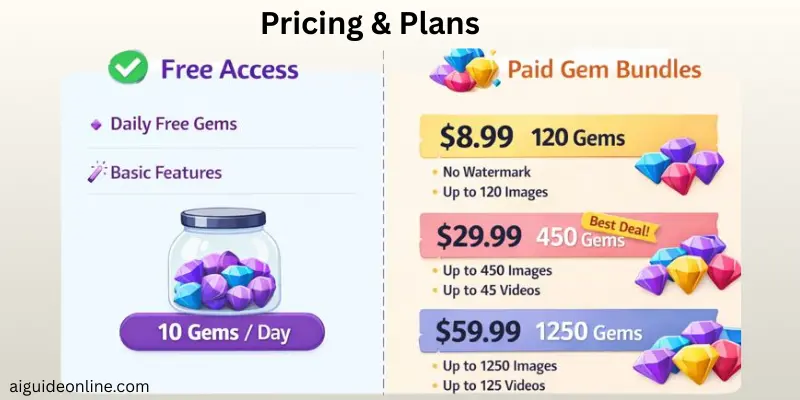
Unlucid AI uses a Gems-based freemium model. You can start for free with daily Gems, then buy Gem bundles when you need more usage or want watermark-free results.
Free access
You can use Unlucid AI for free with daily Gems. Tool directories commonly list this as 10 Gems per day.
You can spend these free Gems on features like image generation, video effects, and image editing. This lets you try the platform before paying.
Paid Gem bundles
If you need higher limits or no watermark, you can buy Gem bundles.
120 Gems — $8.99 USD
- No watermark
- Up to 120 images
- Up to 60 edits
- Up to 12 videos
450 Gems — $29.99 USD (marked “Best Deal!” on the Gems page)
- No watermark
- Up to 450 images
- Up to 225 edits
- Up to 45 videos
1250 Gems — $59.99 USD
- No watermark
- Up to 1250 images
- Up to 625 edits
- Up to 125 videos
User Experiences and Community Feedback
Feedback on Unlucid AI is mixed, and opinions depend a lot on how people use the platform. Reviews from tech blogs, AI tool directories, and community discussions point to both strong creative freedom and ongoing trust concerns.
Several AI review sites say Unlucid AI is easy to use, especially for non-technical creators. These users like being able to generate images and animations without any coding experience. TechRaisal and DigiCrusader both describe it as accessible for beginners and casual experimentation.
Community discussions linked through third-party AI directories also highlight Unlucid’s fewer restrictions approach. Users often say this makes it easier to experiment and create more uncensored or unconventional content compared to larger, mainstream AI tools. This sentiment appears in listings and summaries on sites like AutoGPT.net and WhatLaunched.today.
At the same time, multiple reviews raise concerns about transparency. Some articles note that Unlucid AI does not clearly publish safety rules, moderation guidelines, or detailed usage policies. This lack of clarity makes some users cautious, especially those who need predictable rules or safeguards. TechRaisal specifically points this out as a downside.
Trust-analysis platforms add to these concerns. ScamAdvisor lists Unlucid.ai with a low or cautionary trust score, citing factors such as limited transparency, a relatively new domain, and very little public information about the company behind the product.
Because of these issues, some reviewers warn that Unlucid AI may be better suited for personal or experimental use. They suggest it may not be a good fit for business, regulated industries, or educational settings, where trust, safety standards, and clear policies matter more. This caution appears in reviews from both TechRaisal and DigiCrusader.
Conclusion
So guys, in this article, we’ve covered Unlucid AI in detail — from its core features and creative capabilities to real user experiences, community feedback, and the trust concerns people often ask about. If you’re someone who enjoys experimenting, creating freely, and trying new tools without getting stuck in technical complexity, Unlucid AI can be an interesting option to explore. Just be mindful of how and where you use it, especially if safety, transparency, or professional use is important to you. With that said, folks, take your time, test things wisely, and stay tuned, keep learning, and keep exploring what works best for you.
FAQs
Yes. Unlucid AI has a free plan. You get daily credits called “gems,” which let you try the tools without paying at first. If you want more credits or higher limits, you need to buy bundles or use a paid plan. It follows a freemium model: free to start, paid as you go.
Yes. Unlucid AI can turn text prompts into short videos. You can also upload images and animate them with motion effects. In short, you can start with text or pictures and get a video-style clip as the result.
No. You don’t need any technical skills. Reviews describe Unlucid AI as beginner-friendly with a simple interface. You just type prompts, upload images, or pick effects. There’s no coding involved.
Yes, in practice you can. Unlucid runs in a web browser, so it works on any device with internet access, including phones. There are also mentions of a video generator app listing, which suggests mobile app support, though the browser version is the main option.
Unlucid AI does work as a creative tool, but trust signals are mixed. Some safety review sites give it a low trust score due to limited transparency and hidden ownership details. This doesn’t prove it’s unsafe, but it does mean users should be careful with personal information or payments.
Yes. “Uncensored” platforms often have fewer safety rules and less clear content moderation. That can lead to unexpected results or unclear data handling. You should be cautious if you upload sensitive content or plan to use the tool for professional work.
There isn’t one single best option. It depends on what you want. Tools like PixVerse, Runway, Midjourney, Stable Diffusion, and similar platforms are often mentioned as alternatives. Many of them offer stronger trust signals, clearer policies, or higher-quality output.





- Be Respectful
- Stay Relevant
- Stay Positive
- True Feedback
- Encourage Discussion
- Avoid Spamming
- No Fake News
- Don't Copy-Paste
- No Personal Attacks
- Be Respectful
- Stay Relevant
- Stay Positive
- True Feedback
- Encourage Discussion
- Avoid Spamming
- No Fake News
- Don't Copy-Paste
- No Personal Attacks
