VOMO AI Review 2026: Fast Voice to Text Tool
Published: 13 Feb 2026
More than 300,000 people around the world trust tools that turn audio into accurate text and organized notes in minutes. In this guide, you’ll get a clear look at how VOMO AI works, its main features, real use cases, and practical tips on getting the most out of it, based on what users and official sources show. Looking to simplify your work, check out Studley AI for smart solutions and time-saving features.
What Is VOMO AI?
VOMO AI is a voice memo and transcription tool that lets you record or upload audio and then converts it into clear written notes with summaries and key points. It helps you capture meeting or lecture content, organize it, and even translate it into many languages for wider use. You can chat with the transcript to explore ideas or extract specific information from your recording.
Users also get features like speaker detection and quick sharing to make notes easier to use in real life. These capabilities make VOMO helpful for students, professionals, and anyone who wants spoken words transformed into usable, organized content.
How Does VOMO AI Work?
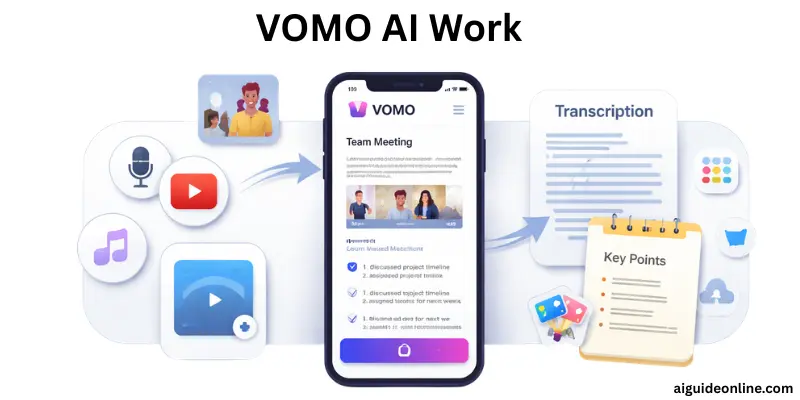
VOMO AI takes your recordings or audio files and turns them into organized text you can read, search, and use again. The steps below show how you get from sound to useful written content.
- Record or import audio: You can speak directly into the app or upload an existing audio file from your phone or computer. You can also use links from services like YouTube to bring in audio.
- Convert speech to text: Once the audio is in the app, VOMO AI processes it and creates written text that matches what was said.
- Add labels and format text: The tool separates different speakers, adds punctuation, and arranges the text so it is easy to read.
- Generate summaries and key points: After transcription, you get a shorter version of the main ideas and important actions from the recording.
- Translate text into other languages: If you need the written text in another language, VOMO AI can convert it into more than 50 languages.
- Chat with your transcript: You can ask questions or search inside the written text to find specific details quickly.
Key Features of VOMO AI
VOMO AI is built to help you turn spoken words into organized, useful text quickly. These features make it easier to work with meetings, lectures, interviews, and voice memos without extra effort. Each feature focuses on saving time and giving you clear, readable results.
- Voice to Text Transcription: Converts your spoken audio into written text, so you don’t have to type notes by hand.
- Flexible Recording Options: Lets you record audio directly in the app or import recordings from other sources.
- AI-Powered Analysis: Generates summaries and extracts important points to give you a quick overview of long recordings.
- Multilingual Support: Translates your transcribed text into more than 50 languages for global use.
- Interactive Transcript Chat: Lets you ask questions or explore details by chatting with your transcript, helping you find information faster.
Use Cases of VOMO AI
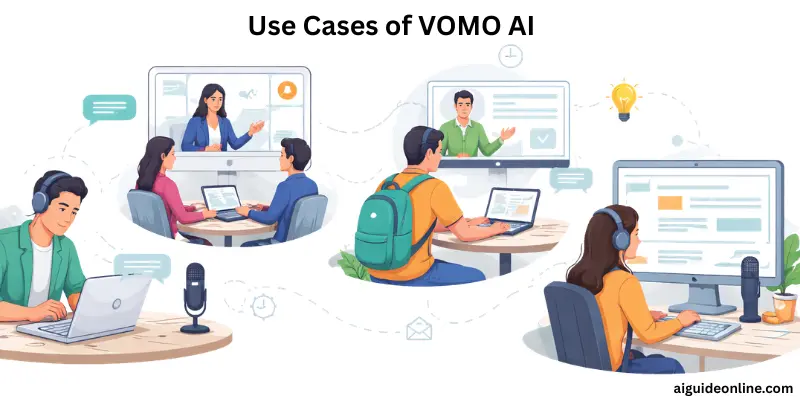
Many people use VOMO in different real-life situations to save time and stay organized. It works well for meetings, lectures, creative projects, and more. Below are the most common ways users put it to work.
- Meeting transcription and summaries — Record business discussions or team calls, then get clear written notes and summaries without typing.
- Lecture and class notes — Students can record lectures and quickly turn them into text, so they focus on listening instead of writing everything down.
- Podcast or interview transcription — Creators record podcast episodes or interviews and convert them to text for blogs, captions, or content planning.
- Brainstorming and idea capture — Capture quick thoughts or group brainstorming sessions and organize them into clear notes.
- Personal voice notes — Use it like a smart voice memo app to save reminders, to-dos, or reflections as searchable text.
- YouTube audio transcription — Import a video link and get the spoken audio turned into written text you can edit or use in posts.
These uses make VOMO useful for students, professionals, writers, content creators, and anyone who works with spoken words.
How to Use VOMO AI: Step-by-Step Guide
Before you start, make sure you have your audio or video ready to upload or record. VOMO works in a few simple steps to turn that audio into written text and useful summaries.
- Open VOMO and Sign In – First, go to the VOMO website or open the app and log in to your account. You can start with the free version if you want to test it out.
- Record or Upload Audio – You can record live audio directly in VOMO by tapping the record button, or upload an existing file from your device. Files like MP3, WAV, or video formats are all supported.
- Add YouTube Link (Optional) – If you want to transcribe a video, you can paste a YouTube link into the tool. It will extract the audio and begin the transcription process.
- Automatic Transcription – Once you add your audio, VOMO will automatically convert speech into text. It labels speakers and delivers an editable transcript in minutes.
- Generate Smart Notes – After transcription, VOMO can create summaries and key point lists from your text to help you focus on the most important parts.
- Review and Edit – Look over the transcript and make any necessary edits. You can correct words, add context, or remove errors to match your needs.
- Export or Share – Finally, you can export your transcript in formats like TXT or PDF. You can also share a link with others or send your notes to teammates or classmates.
This simple flow helps you get written text and helpful summaries from any meeting, lecture, interview, or video without manual typing.
VOMO AI Pricing and Plans
VOMO offers different pricing options so users can choose what fits their needs and budget. Whether you’re just trying it out or need more features for regular use, the plans give flexibility and value.
| Plan | Price | Features |
| Basic | Free | Limited monthly transcriptions, simple uploads |
| Pro | Paid | More transcription minutes, AI summaries, export options |
| Team/Enterprise | Custom | Advanced sharing, team access, priority support |
Pros and Cons of VOMO AI
In this section, we will look at the pros and cons of using VOMO AI. This will help you decide if it fits your needs and what to expect from it.
| Advantages of VOMO AI |
|---|
|
| Disadvantages of VOMO AI |
|---|
|
VOMO AI vs Competitors
When choosing a transcription and meeting‑note tool, it helps to see how VOMO compares with other popular options. Below is a simple look at how VOMO stacks up against competitors in key areas:
VOMO AI vs Otter ai
VOMO focuses on simplicity and fast transcription with summaries and text chat features. It’s easier to use for individuals and offers affordable pricing with a free trial. Otter ai, on the other hand, stands out with real‑time transcription during meetings, team collaboration tools, and deeper integrations with services like Zoom and Google Meet.
VOMO AI vs Rev
Rev provides both automated and human‑powered transcription services, with the human option often delivering higher accuracy for complex audio. Its services are more expensive and not tailored specifically for meeting summaries, but they are trusted for high‑precision work, especially in legal or official settings. VOMO focuses more on quick and easy transcription plus summaries, suitable for general use.
VOMO AI vs Other Tools
Tools like Notta and Fireflies also offer transcription and summaries. Notta supports many languages and live meeting notes, while Fireflies integrates with work tools and offers longer recordings on free plans. VOMO competes well with its ease of file import and structured notes, especially for users who want a clean transcript plus summary without a steep learning curve.
Who Should Use VOMO AI?
Many kinds of users find VOMO helpful because it turns speech into organized written text and summaries. Below are the main groups who can use it effectively in real situations.
- Students – for turning lecture recordings into clean notes.
- Journalists – to convert interviews into text quickly and review key points.
- Research analysts – for recording and summarizing findings.
- Podcasters – to transcribe episodes for captions, blogs, or planning.
- Translators – to work with transcripts and translate into other languages.
- Executive assistants – to record meetings and produce summaries.
- Legal assistants – for creating clear written records from spoken audio.
- Medical transcriptionists – to handle professional recordings with accuracy.
Is VOMO AI Worth It?
Before deciding, think about how much time you spend typing notes from meetings or recordings. Many users find VOMO AI worth it because it turns recordings into organized text with summaries and key points, and supports uploads from multiple sources like audio files and video links. It works well for students, professionals, and content creators who want a faster way to capture spoken content, though some advanced features and higher usage volumes require a paid plan. Overall, if you need reliable transcription with clear summaries and easy editing, VOMO offers good value for the price.
Conclusion
We’ve covered everything about VOMO AI, from its main features and real use cases to pricing, pros and cons, and how it compares with other tools. For folks who deal with meetings, lectures, or audio notes regularly, VOMO AI can save a lot of time and keep your content organized in one place. If you want faster, clear, and easy-to-use transcripts, this tool is worth trying. Keep exploring, buddies, and stay tuned for more helpful tips!
FAQs
VOMO AI works on both web and mobile. You can record directly in the app or upload audio/video files from your device to get transcripts and summaries. It also lets you access your notes from a browser for editing or sharing.
Yes, VOMO AI lets you paste a YouTube video link and automatically convert the audio into text. This makes it easy to get written content from talks, interviews, or educational videos.
VOMO AI can reach very high accuracy for clear recordings, often up to 99% with good audio. It uses advanced speech recognition to handle different voices and reduce background noise.
VOMO AI supports transcription in over 50 different languages, so you can work with recordings in many speech types. It also offers translation to help make transcripts useful in other languages.
VOMO AI protects your recordings and transcripts with strong security measures. This ensures your files are kept private and safe while stored or shared.




- Be Respectful
- Stay Relevant
- Stay Positive
- True Feedback
- Encourage Discussion
- Avoid Spamming
- No Fake News
- Don't Copy-Paste
- No Personal Attacks
- Be Respectful
- Stay Relevant
- Stay Positive
- True Feedback
- Encourage Discussion
- Avoid Spamming
- No Fake News
- Don't Copy-Paste
- No Personal Attacks
